Chase the horizon — the RV-safe trip planner for your rig.
RV Compass plans routes around low bridges and weight limits, and warns you before
propane-restricted tunnels, so the trip you plan is the trip your rig can actually drive.
Free to start. Sign up with email on the web, or with Apple, Google, or email in the iPhone app.
Chapter one · The problem
Your GPS thinks you drive a car.
A Class A rig runs twelve to thirteen feet tall and can weigh fifteen tons.
Car navigation apps don't know that — and they'll route you straight at an
11′ 8″ underpass without blinking.
Low clearances that end trips — and peel roofs
Weight-limited bridges your rig has no business crossing
Tunnels where your propane tank isn't welcome, with no warning before you reach one
Car navigation routes under a low bridge; RV Compass routes safely around it.
Your rig
Class A
Height
12′ 9″
✓ includes roof AC
Length
35′ 8″
Weight
24,500 lbs
Propane onboard
Yes
Used on every route. Every time.
Chapter two · Your rig
Tell us about your rig. Once.
Pick your make and model from a library of real presets — Thor, Tiffin, Winnebago,
Jayco, Airstream, and more — or dial in your exact numbers. Height, width, length,
weight, propane. We'll even nudge you to remember the roof AC.
From then on, every single route respects those numbers. Class A to campervan,
fifth wheel to truck camper.
Chapter three · Honest ETAs
Every detour, explained.
Most apps hide why a route bends. RV Compass shows its work: every restriction
that shaped your route is listed and tappable on the map, along with exactly how
much time RV-safe routing added versus a car.
And when a leg falls back to car-grade or estimated routing, it's labeled — a badge
on the leg, not a secret in the fine print.
Blue Ridge Loop · Day 2
4 hr 05 min · 212 mi
RV-SAFE
+14 min vs. a car — here's why:
Avoided 11′ 8″ underpass: NY Route 9A
Passed on a 7-ton bridge: County Rd 12
Propane caution
Harbor Tunnel restricts propane. You'll hear it 2 miles out: "Propane restriction in 2 miles. Check local rules."
RV-SAFE · ValhallaCAR · fallbackEST · estimate
Chapter four · The whole journey
Plan the trip. And the trip home.
Everything between "someday" and "we're here" — stops, stays, fuel, elevation,
and the return leg most planners forget.
A five-stop RV trip plan with an RV-safe outbound route and a mirrored return leg.
AI Trip Builder that can't make places up
Describe the trip and get a complete, drivable plan. Every stop is a real, geocoded place;
every mileage number comes from the actual routing engine. The AI proposes, you accept.
It never touches your trip without a yes.
Two weeks, Moab to Glacier, scenic route — big-rig sites only.
Arches NP · 2 nightsFlaming Gorge · 1 nightGlacier West · 4 nights+ 9 more stops
Accept planYour trip changes only if you say yes
Return trips, built in
Every trip gets a return leg by default — mirror your stops home, drive straight back,
or skip stops one by one.
Every kind of overnight
Campgrounds and RV parks with big-rig and pull-through filters, Love's RV hookup sites
with a Book button, and overnight parking at Walmart, Cracker Barrel, Bass Pro and
Cabela's, casinos, and Elks and Moose lodges, each marked call ahead.
"How far can we get?"
Daily-drive range rings show what's honestly reachable today, then list the campgrounds
near each day's edge. You choose how far off route and how early to stop.
Know the cost before you go
Fuel from your rig's MPG and regional prices, tolls priced by your axle count, plus
nightly rates. On the road, log fill-ups and expenses to see the real cost per mile and
per night, and swap your guessed MPG for the one you measured.
Fuel range that knows the truck stops
Enter your tank size and refuel reserve, and the planner marks where you'll hit it and
suggests truck stops and diesel near that point, one click to add. In Pro navigation, a
fuel gauge counts down your range and names the next station before you run low.
Your clubs, on every park
Add KOA, Thousand Trails, Encore, Passport America, Good Sam, Elks, or Moose to My clubs.
Parks that take them get a badge, and one filter shows only the places that accept your
clubs. Free for everyone.
See the climbs coming
Elevation profiles for every route, so mountain passes are a plan —
not a white-knuckle discovery.
Weather that finds you first
The forecast for each stop on the day you'll arrive, weather along each drive at the hour
you'll be there, and NWS watches and warnings on the route. Wildfire perimeters and smoke
show on the map, and arrival times read in local time when you cross a time zone. Tall
rigs get a heads-up when gusts turn a mountain pass into a bad idea.
Scouted by RVers ahead of you
Community reports flag low bridges and hazards the map data missed —
verified, then fed back into everyone's routing.
Plays nice with your Garmin
Import a route from RV Trip Wizard, Google Maps, or your Garmin. Print the itinerary and
RV-safe turn-by-turn, or download a CSV or calendar file. With Pro, export GPX for your
Garmin or Rand McNally and subscribe to a live calendar link.
Eyes on the road ahead
Speed traps, debris, construction, closures — reported live by RVers, tuned for rigs.
Alerts expire on their own, and drivers passing by confirm "still there?" so stale
reports clear themselves.
Roll the credits
End a trip and get the recap: your miles, your nights, your route rating —
and any new patches you earned along the way, revealed at the finish.
Maintenance that reminds you
Log odometer and generator hours, start from a service schedule built for your rig type,
and keep the receipt with every service record. A Monday email tells you when something
is due, and the whole history prints for the shop.
Traffic ahead, and a detour your rig fits
Pro
While you navigate, RV Compass watches the road ahead for backups, tells you once per
jam, and draws traffic under your route. When an RV-safe way around saves 10 minutes or
more, it offers the detour. It only takes it if you tap.
Traffic ahead
Slow traffic in 3 miles for about 2 miles. Adds about 11 minutes.
RV-safe detour saves 14 min
Take detourStay on route
Detours welcome
Need fuel, a dump station, or a campground for tonight? Browse what's ahead on the
route, in order, with miles and time to each, and add it without leaving turn-by-turn
navigation. The route just absorbs it.
NewRough roads · web and mobile
The map says smooth. RVers know better.
Map data records what a road is paved with, not how it rides. So RVers flag the rough
stretches from the cab, and drivers heading the same way hear about it first.
Tap Report, then Rough road where it starts, and Smooth again where it ends. No signal? The report sends once you're back in range.
Drivers behind you hear "Rough road ahead for about 12 miles," with a countdown until they're through.
Plan a trip on the web with Avoid rough roads on, and the route goes around them where it can. The route report shows what that cost in time and miles.
Drivers who pass it are asked "Still rough back there?" Reports nobody confirms age out after six months.
Reports run one way, so a westbound report warns westbound drivers. Add how rough it was and
what's wrong later, from your trip recap or on the web.
See how rough road reports work
1Flag it
2Warn the next rig
3Route around it
NewClearances and grades · web and mobile
Low bridge in 2 miles. Your rig is 13′ 6″.
Every planned route is checked against the posted height and weight limits in OpenStreetMap,
measured against your rig. Then the app says it out loud before you get there.
Anything your rig can't clear is flagged on the leg and on the map. Anything with less than a foot to spare is marked tight, so you can decide.
Turn on the Clearances layer to see every posted limit nearby, colored against your rig: red if it's too low or too heavy, amber if it's within a foot.
Pick a drive in the elevation panel to see its own profile and every steep grade on it: where it starts, how steep, how long, and how far it drops.
In Pro navigation you hear “Low clearance in 2 miles: 12 feet 6. Your rig is 13 feet 6.” Steep downgrades are called out a mile before they start.
Mile 42 · 6% downgrade for 4.1 mi · drops 1,300 ft
NewChecklists · web and mobile
Build it once. Run it every trip.
Setup and teardown lists that reset themselves. Check things off as you break camp,
press All done, and the list is ready for the next morning. No copying, no rebuilding.
Start from Motorhome Teardown, Hitch up, Dump station, or seven more templates. Then make it yours with sections and notes.
Flag the steps that can't be skipped. Press All done early and the open critical items are the first thing you see.
No signal at the dump station? Checking still works on your phone, and your checks sync when you're back in range.
Two devices on one account stay in step. One of you outside on the phone, one inside on the tablet, and every check shows up on both.
Share a list with a link or print one for the door. Every finished run counts toward the
Walk-Around patch.
See how checklists work
Plan on the couch. Navigate in the cab.
Trips sync across web and mobile, and both read the exact same computed route:
same polyline, same maneuvers, same ETA. You can also start and edit a trip on your
phone, browse campgrounds and fuel near you or along the route, and drop a stop in at
the least detour. What you planned is what you drive, with a dual HUD showing your
next stop and your final destination together.
The planned route and honest ETAs, right on the dash.
Chapter five · Earn your stripes
Some badges you click. These, you drive.
Seventeen embroidered mission patches, three tracks. And here's the part that matters:
Road patches are earned on the road.
Most are GPS-verified, mile by mile. The newest, Walk-Around, counts the checklists you
finish before the wheels turn. RV Compass knows the difference between planning a trip
and actually taking one.
Road · GPS-verifiedPlannerCommunity
Collect Shakedown Cruise again with every rig you break in — and chase the monthly patches all year
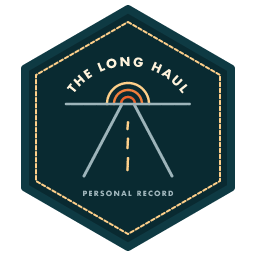
The Long Haul is a living record of your longest driving day — it re-engraves every time you beat it
Personal record · re-engraves
Five of seventeen. The rest are waiting on the road.
W
The Wanderfams
/u/wanderfam
Public
Miles
12,408
Nights
86
States
14
+ 9 more patches
Meet the neighbors
Scan from the next campsite over
Chapter six · Show your stripes
A public profile. On your terms.
Travel stats, your badge wall, your rig, your trip photos — on a page worth sharing,
with a QR code made for campground introductions. And because trust is the whole
point of RV Compass, privacy works the way it should:
Off by default. Your profile is private until you decide otherwise
Home stays home. Your home base and addresses are never shown
Maps keep secrets. Shared trip maps are intentionally zoomed out, with the start and end of every route removed
Invisible to search engines unless you opt in
Chapter seven · Your year on the road
Every mile you drive, counted.
RV Compass keeps a record of each drive you navigate, rated or not, so your stats come
from the miles you actually drove, not the ones you planned.
Lifetime stats: miles, hours behind the wheel, nights out, states, and trips.
Year in Review: miles by month, your top stay, your longest drive, the states that were new this year, and the patches you earned.
Places visited: the states you've driven and the parks you stayed at, with nights. The shaded states map is Pro.
Route recording is opt-in. Turn it on and your driven line shows on the trip map and fills in the states you crossed. Delete every saved route in one tap.
Log fill-ups and expenses along the way and every trip shows its real cost per mile and per
night. Driven routes export as GPX with Pro.
Year in Review · 2026
Example
Miles driven
8,412
Hours
162
Nights
64
States
11 5 new
Miles by month
Top stayPinewood RV Park · 9 nights
Longest drive412 mi
Under the hood
The same routing engine Tesla trusts.
RV Compass runs on Valhalla, the open-source routing engine behind Tesla's in-car
navigation. We host it ourselves and tune it for rigs, not sedans: clearance data and
weight limits are first-class citizens, not afterthoughts, and propane rigs get a
warning before every restricted tunnel on the route.
The engine
Valhalla — proven at Tesla scale
The hosting
Self-hosted, no black box
The tuning
Built around RV restrictions
Good questions
Asked on every forum. Answered here.
How is RV Compass different from Google Maps or Apple Maps?
Car navigation apps don't know how tall, heavy, or long your rig is, so they'll happily route you under an 11-foot bridge. RV Compass routes around low clearances, weight-limited bridges, and narrow roads using your rig's actual dimensions, warns you before propane-restricted tunnels, and shows you exactly which constraints shaped the route.
What kinds of RVs does RV Compass support?
All of them: Class A, B, and C motorhomes, travel trailers, fifth wheels, truck campers,
and campervans. A rig wizard with presets for popular makes and models — Thor, Tiffin,
Winnebago, Jayco, Airstream, and more — gets you set up in about a minute, including a
nudge to account for roof AC height.
What is RV-safe routing?
Every route is computed against your rig profile (height, width, length, and weight), so low bridges, weight-limited bridges, and restricted roads are avoided before you ever see the route. If you carry propane, the route report and the app warn you before any propane-restricted tunnel on the way. RV Compass runs on Valhalla, the same open-source routing engine Tesla uses for its in-car navigation, self-hosted and tuned for RVs.
Can I use RV Compass with my Garmin or Rand McNally GPS?
Yes. With Pro, any trip exports as a GPX file that loads into Garmin, Rand McNally, and other dedicated GPS hardware, so you can plan in RV Compass and navigate on the device you already trust. Printing the itinerary and RV-safe turn-by-turn directions, and downloading a CSV or calendar file, are free.
Does RV Compass have setup and teardown checklists?
Yes. Start from a template like Departure, Arrival, Hitch up, Dump station, or Motorhome
Teardown, or start blank, then add your own sections, notes, and critical items. Check
things off, press All done, and the list resets itself for next time. On your phone,
checking works with no signal and syncs later, and two devices on the same account see
each other's checks live.
Does RV Compass warn you about rough roads?
Yes. While navigating, tap Report, then Rough road where a rough stretch starts and Smooth
again where it ends. Drivers heading the same way hear a warning before they reach it and see
the miles left until they're through. On the web planner, reported stretches show on your
route. Turn on Avoid rough roads for a trip and the route goes around them where it can, and
the route report shows what that costs in time and miles.
Do I have to drive to earn badges?
For most Road badges, yes. They're GPS-verified, earned by actually driving the trip,
not by tapping a button. The exception is Walk-Around, which counts the checklists you
finish before the wheels turn. Planner and Community badges reward great trip planning
and helping other RVers, so there's a track for every kind of traveler. Seventeen
patches are available. One of them, Charter Member, went to people who had an account
before September 1, 2026, and it can't be earned anymore.
Is my profile public?
Only if you turn it on. Public profiles are off by default, your home base and
addresses are never shown, and shared trip maps are intentionally zoomed out with the
start and end of every route removed. Search engines are blocked unless you opt in.
Where can I get RV Compass, and what does it cost?
RV Compass is on the web at travel.rvcompass.app and on iPhone in the App Store. The free plan covers 1 active trip and 1 rig. Pro is $6.99 a month or $49 a year, with a 14-day free trial, and adds unlimited trips and rigs, turn-by-turn GPS navigation in the app, the AI Trip Builder, GPX export, and a live calendar link for each trip. It follows our fair-billing promise: clear prices, renewal reminders, and one-click cancel.
How do I sign in?
In the iPhone app, you can sign in with Apple, Google, or email. On the web, you sign in with email and a password. It's one account either way, so your trips and rigs show up in both places. If you made your account with Apple or Google in the app, tap Forgot password on the web to set a password.
Does RV Compass avoid low bridges and tunnels automatically?
Low bridges, yes. Once you've set your rig's height, weight, and length, every route is computed to avoid low clearances, weight-limited bridges, and narrow roads before you ever see it, and RV Compass lists each restriction that shaped the route. Propane-restricted tunnels work differently: RV Compass warns you before them instead of routing around them. Each one shows in the route report as a propane caution, and in the cab the app says it out loud before you reach it, so you can shut the valve or take the posted detour.
Can I plan a trip on my computer and navigate from my phone?
Yes. Your trips sync across the web planner and the mobile app, and both read the exact same computed route: same roads, same maneuvers, same ETA. Plan on a big screen at home, then navigate turn-by-turn in the cab without re-entering a thing. You can also create and edit trips right on your phone.
The horizon is waiting.
RV Compass is on the web and on iPhone. Plan on the web, navigate in the cab.
Same route, same honest ETA.